Lovable Drafts: A Safe Place to Try Changes
Lovable Drafts give you a copy of your app to try ideas without touching the live one. What a draft is, why it matters, and your first one in 4 steps.
Don't feel like reading? Link for agents
A Lovable draft is a copy of your project where you can try a change without touching the app your users see. If you like the result, you press Accept and keep it. If you don't, you press Delete and it's gone. Your live app stays exactly as it was the whole time.
If you've ever stopped yourself from asking Lovable for something because "what if it breaks what already works?", this feature is for you.
Why do Lovable Drafts matter?
Because being afraid to touch your own app is the fastest way to stop improving it.
I've been there. I remember not making a change to one of my own apps because I was afraid of leaving a user without something they needed. I wasn't sure it would work, so I didn't touch it.
That fear grows with the app. As our apps grow we want to deliver better, we want everything to work better, and more people want to review a change before it goes out.
"How do I test a change without breaking the app my users are already on?" is one of the questions I've answered most in the Lovable community. For a long time the honest answer was a second project, a second database, and a lot of discipline. That is a lot to ask of someone who just wants to try a new homepage.
Drafts make that a one click thing. You get a place to experiment where mistakes cost nothing.
What is a draft, in plain words?
Think of "Save a copy" on a document. You open the copy, move things around, try the bold idea. The original doesn't change while you play.
A draft works the same way for your app. Each draft has:
- Its own chat, so the conversation about this idea stays in one place.
- Its own preview, so you see the change working before anyone else does.
- Its own changes, which stay inside the draft until you decide.
Your main project is the original. It doesn't move until you say so.
How do I create my first draft?
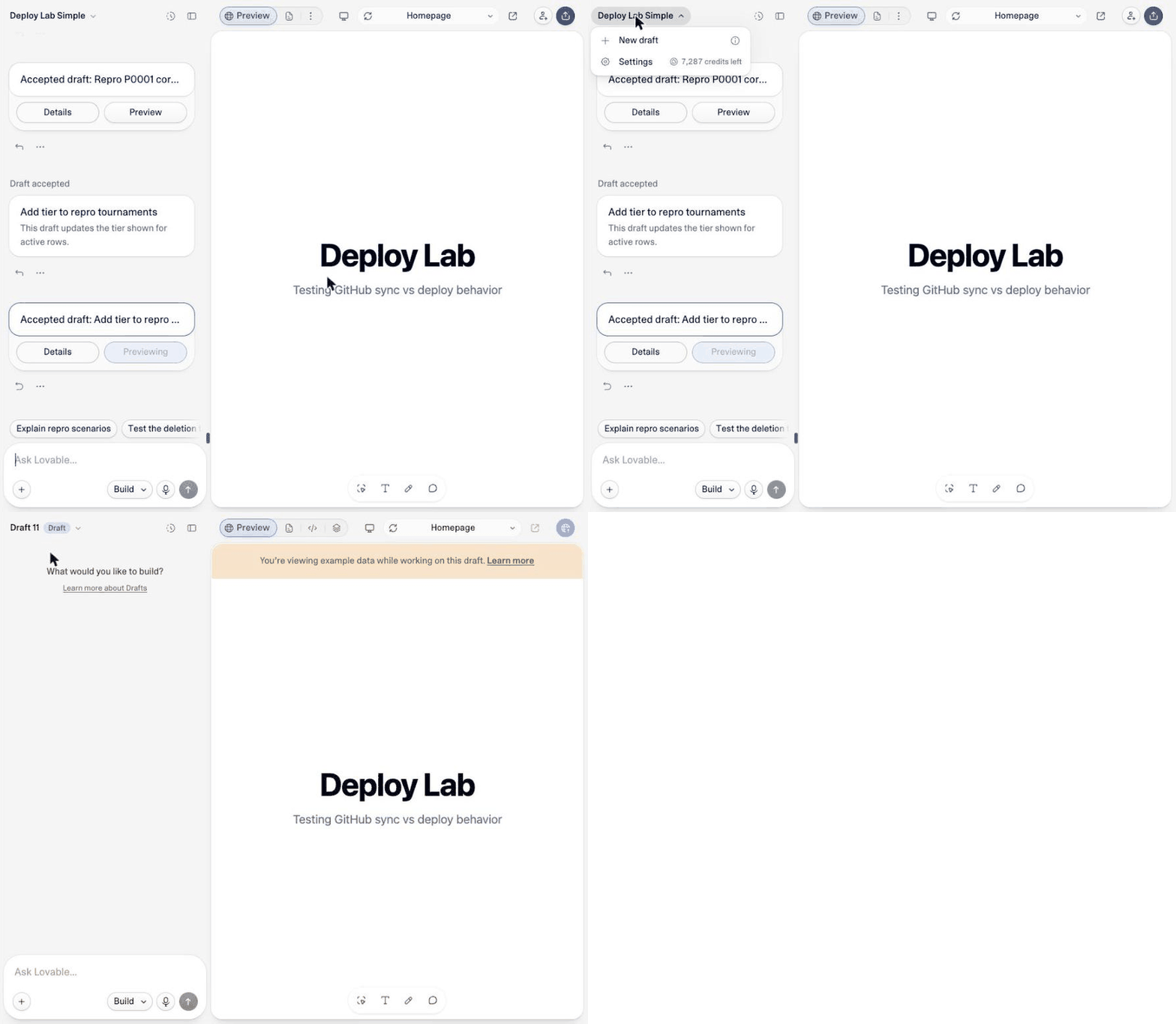
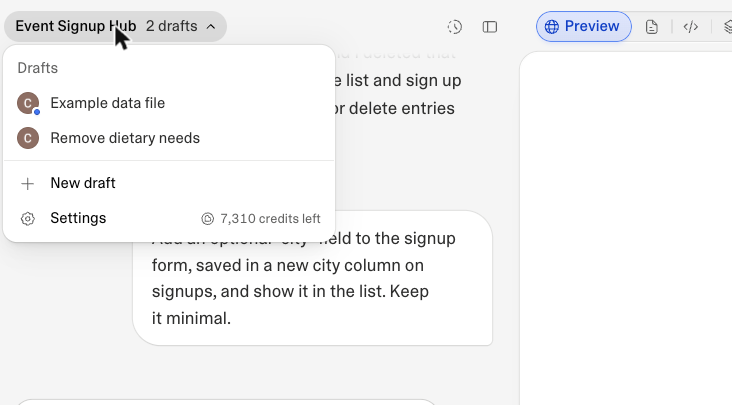
It takes four moves, and it all lives behind your project's name at the top left of the editor.
- New draft. Click the project name, then New draft. You get a copy of your project as it is right now.
- Build. Chat inside the draft like you always do. Ask for the change you were afraid to ask for, then keep adjusting until it feels right. You can go back and forth as many times as you need.
- Update. If your main project changed in the meantime, an Update button appears so you can bring those changes in.
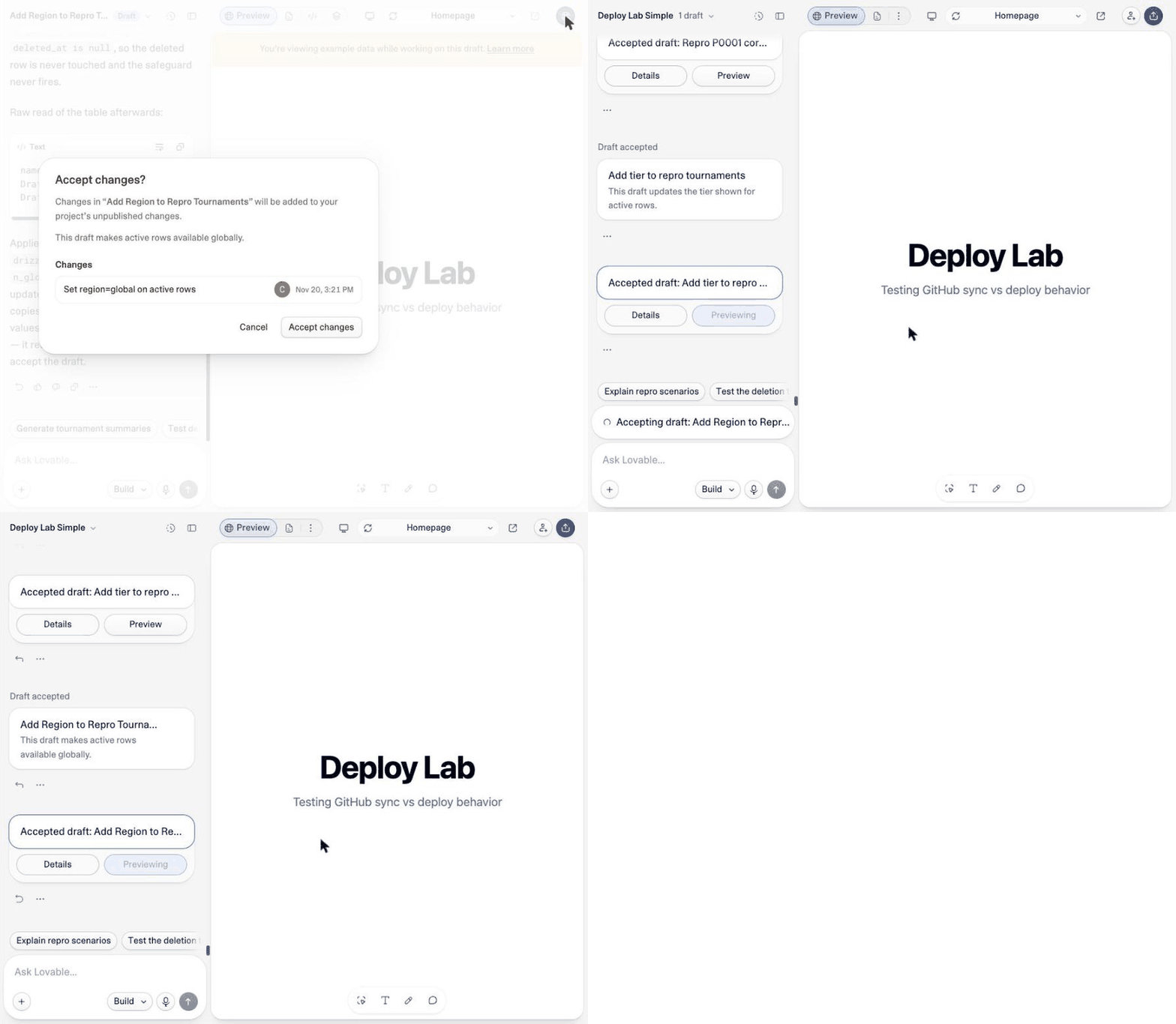
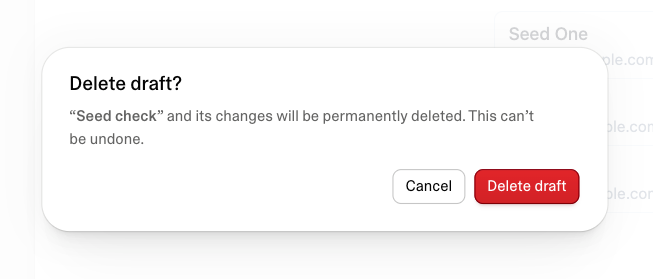
- Accept or Delete. Accept moves your changes into the main project. Delete throws the draft away for good.
Do drafts cost credits?
Creating, updating, accepting and deleting a draft cost me zero credits. The messages you send inside a draft cost the same as anywhere else in Lovable.
So trying an idea in a draft costs the same as trying it in your main project. The difference is that you can walk away from it.
What can I try in a draft?
Anything you'd hesitate to try on the real thing. A few that work really well:
- A redesign. New colors, new layout, new homepage. Look at it for a day before you decide.
- Two versions of the same idea. Open two drafts, compare them side by side, keep the one you like and delete the other.
- A client's "yes". Invite your client to the project and they can open the draft and look around. Get the "yes, this is what I asked for", then press Accept.
- A new feature. Build it, click around, break it on purpose. Your users never see the mess.
Is my real data safe while I play?
In most cases yes, and there is a quick way to check: look for the banner.

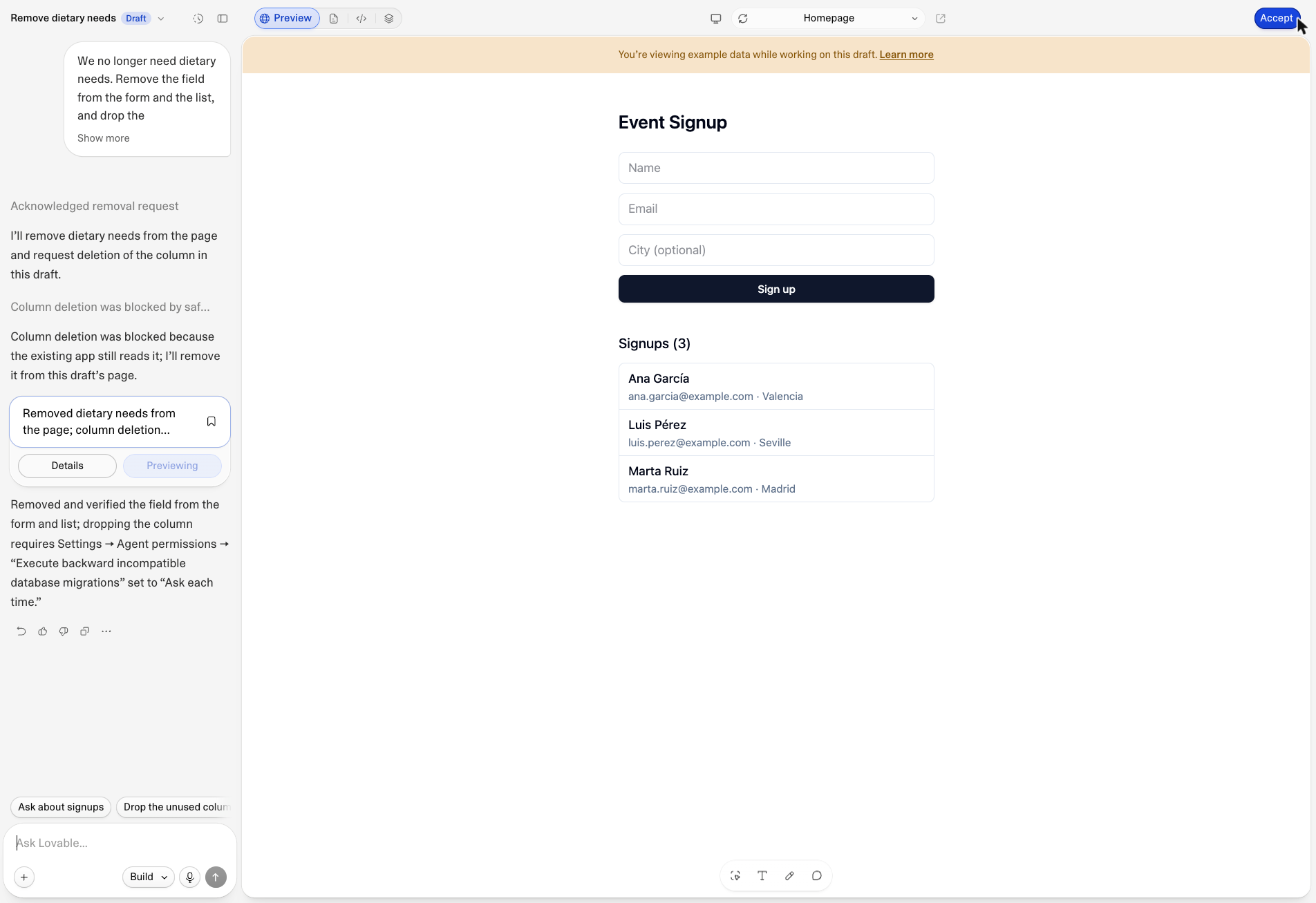
| What you see | What it means |
|---|---|
| A banner that says "You're viewing example data while working on this draft" | The draft has its own practice data. Add, edit and delete freely. Your real data is somewhere else |
| No banner | You are looking at your real data. Treat it like the live app |
Lovable Cloud or your own Supabase: why it changes the answer
Every Lovable app that saves data has a backend, and there are two ways to have one. Lovable Cloud is the backend that comes built into Lovable, and it runs on Supabase. Your own Supabase is a Supabase project you created yourself and connected to Lovable.
Drafts behave differently on each one, so it helps to know which you have.
| Your backend | What a draft does with your data |
|---|---|
| Lovable Cloud | The draft gets its own practice data, with the banner. In my tests, what I added inside the draft never reached my real data |
| Your own Supabase | The draft uses your real database. No banner. What you add or delete in the draft is real right away |
| No backend, like a landing page | There is no data to worry about. Design away |
In my tests, every project on Lovable Cloud got the banner and its own practice data. Lovable says this is rolling out gradually, so check for the banner on yours.
If you connected your own Supabase, drafts are still great for design and wording. For anything that touches data, treat the draft like your live app. That case has its own post: Lovable Drafts with your own Supabase.
What happens when I press Accept?
Your changes move into the main project. Your published site does not change yet. That still happens when you press Publish, like always.
There is one thing worth knowing before your first Accept. If your draft added something to the database, like a new field in a form, that part reaches your real database at Accept, before you publish. Most of the time you won't notice. It matters when the draft renames or removes something your live app still uses. In that case, publish right after you accept. The full story is in what Accept really changes.
If you only remember one line: Accept is not Publish, but your database doesn't wait for Publish.
A small thing that might confuse you
Login emails are not sent from a draft that has its own practice data. I asked for a password reset inside a draft, it said "sent", and nothing reached my inbox. Nothing is wrong, the draft just keeps real emails out of your tests. Try those emails in your main project or on the published site. There are a few more like this, all with a quick fix, in common questions and quick fixes.
Quick answers
What is a draft in Lovable?
A draft is a copy of your project with its own chat, its own preview and its own changes. You build inside it, then press Accept to keep the changes or Delete to throw them away.
Will a draft break my published app?
No. Your published site only changes when you press Publish. Building inside a draft does not touch it.
Where do I find Drafts in Lovable?
Click your project's name at the top left of the editor. Your drafts and the New draft button are there.
Do Lovable Drafts cost credits?
Creating, updating, accepting and deleting a draft cost zero credits in my tests. Messages inside a draft cost the same as in your main project.
Do Lovable Drafts work with Lovable Cloud and with Supabase?
Yes, with both. On Lovable Cloud, the drafts I tested got their own practice data. With your own Supabase connected, the draft shares your real database, so data changes are real right away.
Can I have more than one draft?
Yes. Each draft has its own chat and its own preview link, so you can compare two ideas. Pick one, accept it, and delete the other.
Can I undo a draft I don't like?
Yes. Press Delete and the draft is gone. Your main project never changed.
Reading this with an AI agent? Give it this page and ask it to walk you through your first draft, one step at a time. And if this helped you, leave a note in the reader margin below. I read every one.
This is the first post in my series on Lovable Drafts. Keep reading: what Accept really changes, drafts with your own Supabase, staging on Lovable with your own Supabase, and common questions and quick fixes.
I tested Drafts from November 17 to 20, 2026, on four throwaway projects of my own. Sources: the Drafts docs and Lovable's announcement.
Reader margin
What stayed with you?
Leave one small mark in the margin.
Notes from readers
The margin is open. You can leave the first note.
Stuck with something like this? I fix it daily → Services