Lovable Cloud Database Stuck? Here's How to Fix It
📌 Updated October 5, 2026: new 30-second check before the fix, and a note on when not to downgrade.
Before you restart anything: a 30-second check
Three checks, in order. Stop at the first one that matches.
1. Does the app itself still work? Preview, published site and login all fine. Only the chat fails, even on "hi".
- Verdict: Not your backend. Lovable fixes this on their side (confirmed September 2026).
- Do: Keep your ticket open with the project id. Do not restart, do not spend credits on it.
2. Run select 1; in the Cloud SQL editor.
You get "Connection terminated due to connection timeout". Overview panels may show empty, Storage may show 0 buckets.
- Verdict: Your instance is down. If Lovable's own editor cannot connect, nothing you ship will.
- Do: The restart below. On Tiny with real users? Read Step 6 before you downgrade.
3. Check the Supabase status page for your region. Two possible outcomes, and the second one is the trap.
- Incident listed: Platform problem, not yours. Wait it out, nothing on your side fixes a regional incident.
- All green: Still your instance. The status page tracks the region, not your database. In October 2026 a Pro project in eu-west-3 was down a full night while everything showed green. Go back to check 2 and do the restart.
The problem
You open your Lovable Cloud panel and something's wrong. Your database isn't responding, queries are timing out, or you see the dreaded "Error loading backups" message.
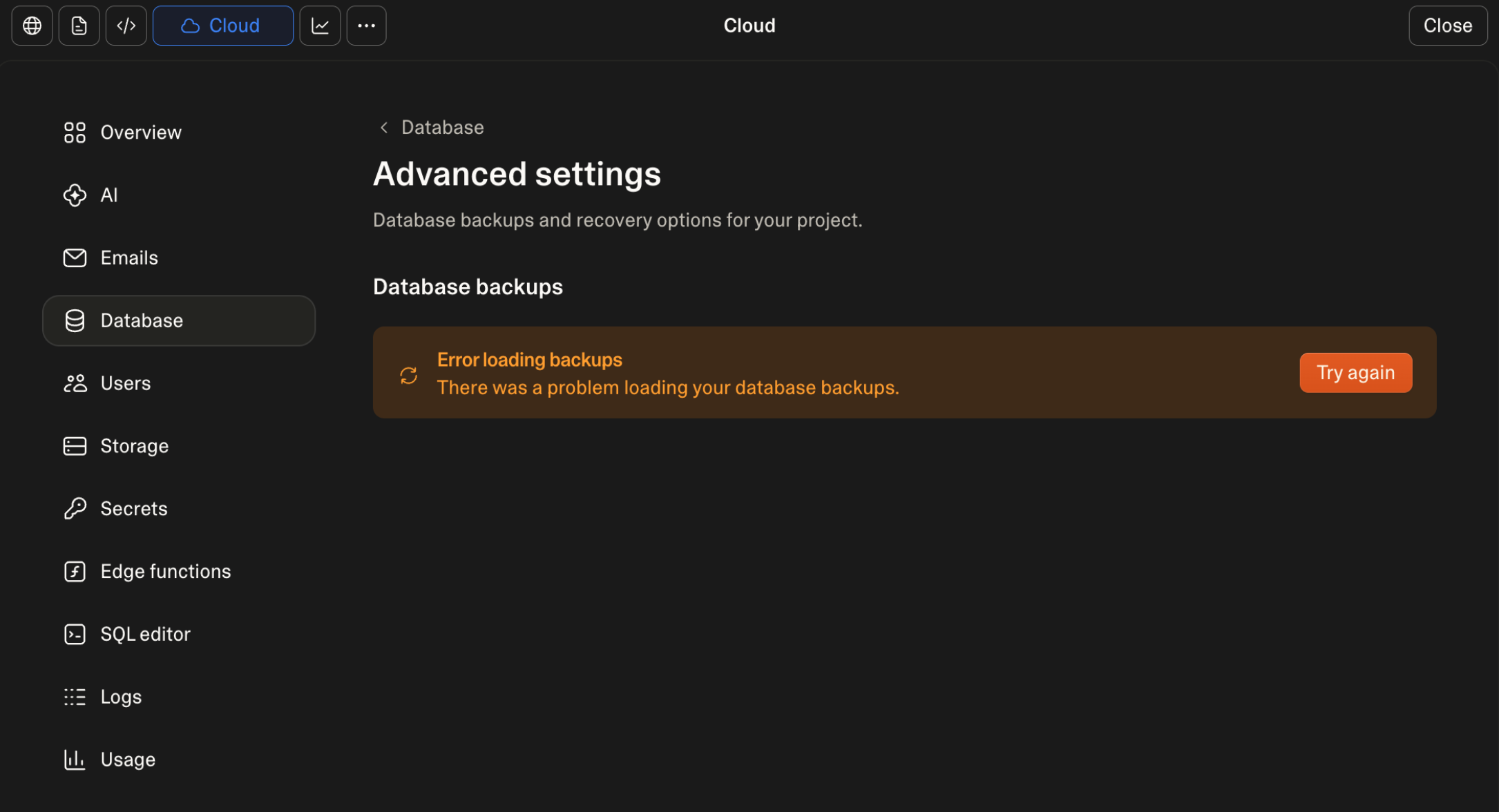
This happens more often than you'd think. Instance resizes get stuck, connection pools exhaust, or the database just stops responding. And since you don't have direct dashboard access on Cloud, your options feel limited.
But there's a workaround that works.
The fix: Instance refresh
This was discovered by the community and it's saved a lot of people. The idea is simple - you trigger a resize by changing your instance tier, which forces a full platform refresh.
First, try asking the agent
If your AI chat still responds, there is a zero-click route worth trying before the manual fix. Ask the agent:
My Cloud backend is not responding. Check if a backup or scheduled job is stuck, tell me what you find, then restart my Lovable Cloud instance.
A community member whose backend was held hostage by an automated backup stuck in a six hour loop got the agent to process exactly this kind of restart, and the instance came back online. If the chat itself is what's failing (every prompt returns an internal error), skip this and use the manual path below.
Step 1: Open the Cloud panel and go to Advanced Settings
In the editor, open the More tab in the project toolbar and select Cloud. This is the part that trips people up: the Cloud panel is not under your project Settings, it lives in the More menu of the editor toolbar. If you don't see Cloud there, your project isn't using Lovable Cloud and this workaround doesn't apply.
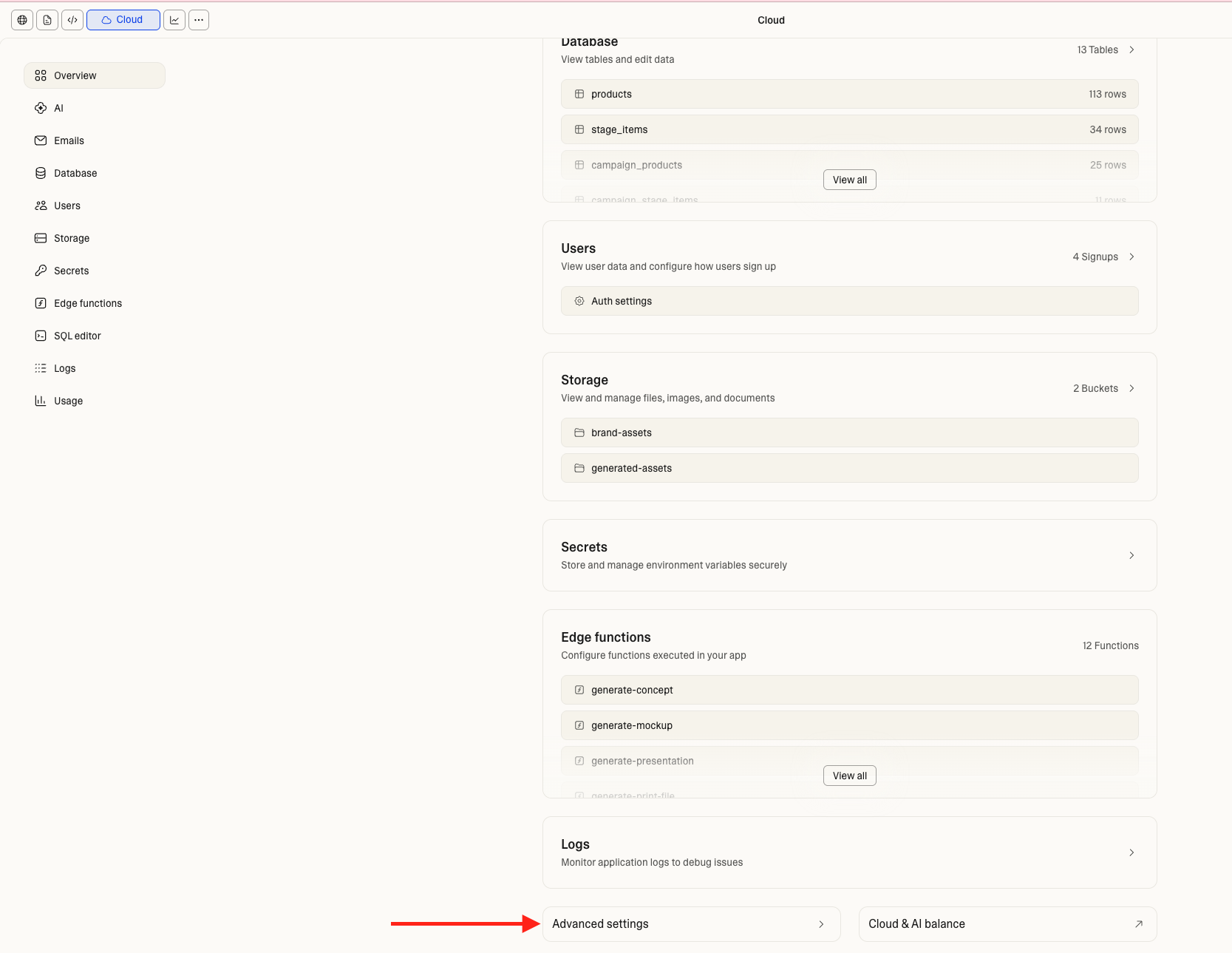
From the Cloud panel Overview, scroll down and click Advanced Settings.
Step 2: Open the instance dropdown
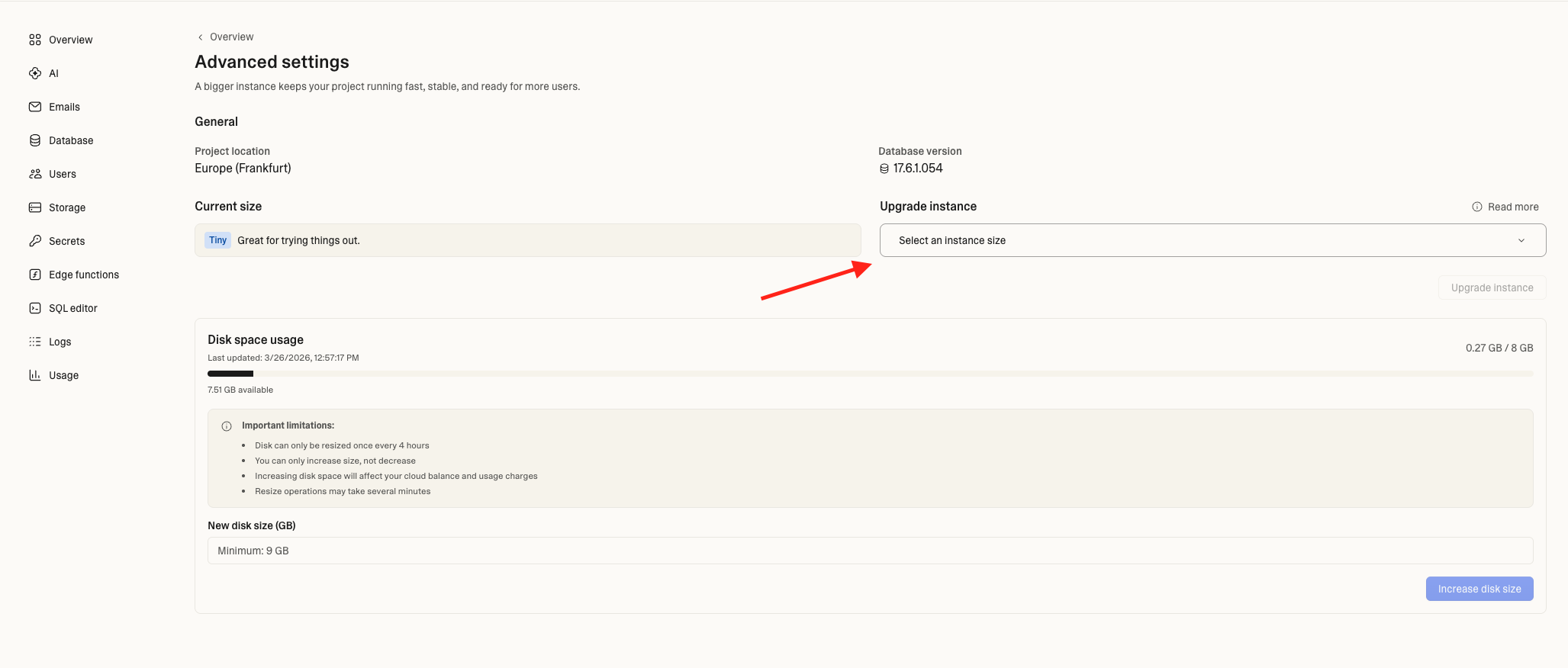
You'll see your current instance size. Click the "Select an instance size" dropdown on the right.
Step 3: Select a different tier
Pick the next tier up from your current one. If you're on Tiny, select Mini.
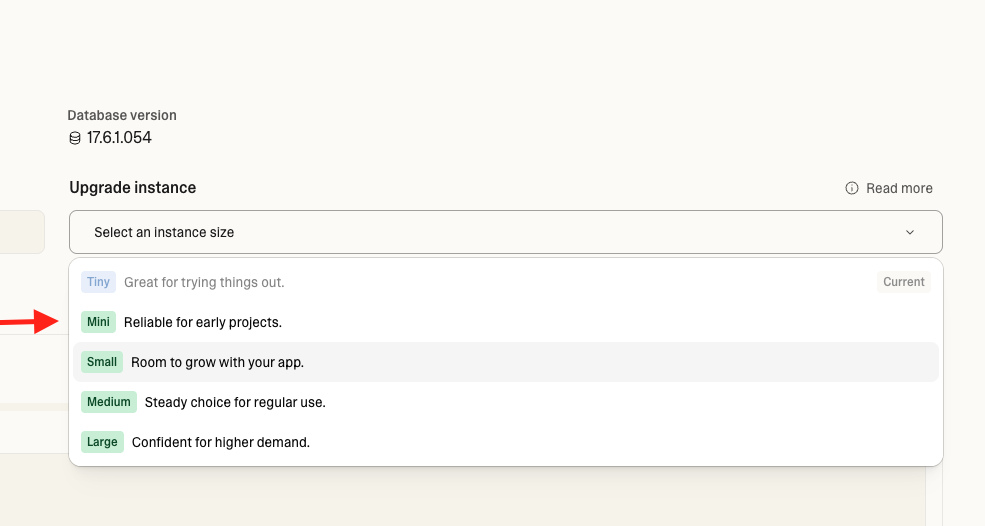
Available tiers: Tiny (trying things out), Mini (early projects), Small (room to grow), Medium (regular use), Large (higher demand). See the Lovable Cloud docs for details on scaling.
Step 4: Confirm the resize
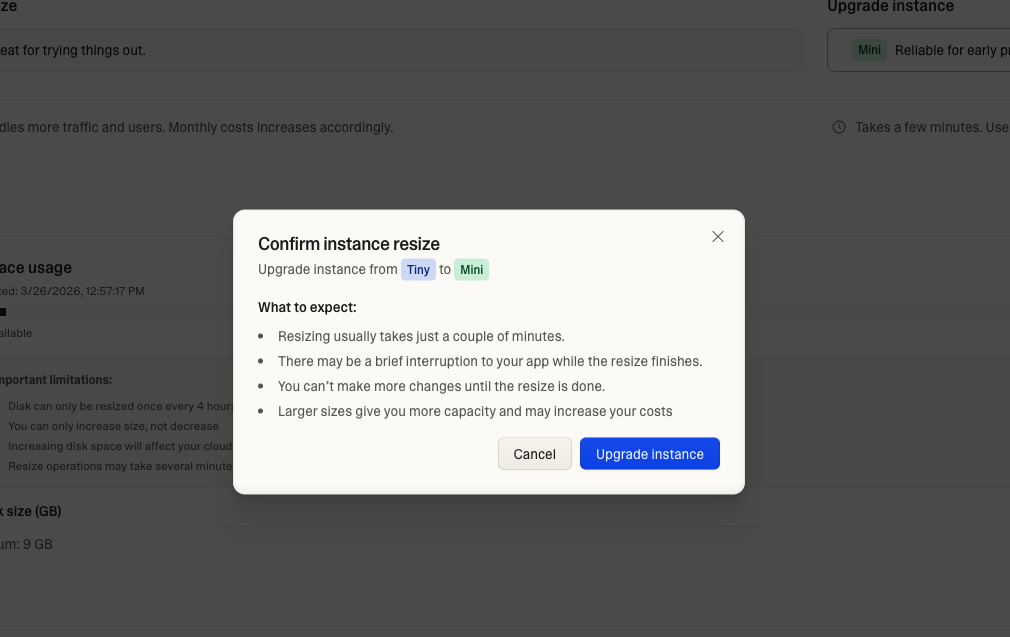
Click Upgrade Instance. You'll see a confirmation dialog showing what to expect.
Step 5: Wait for the resize
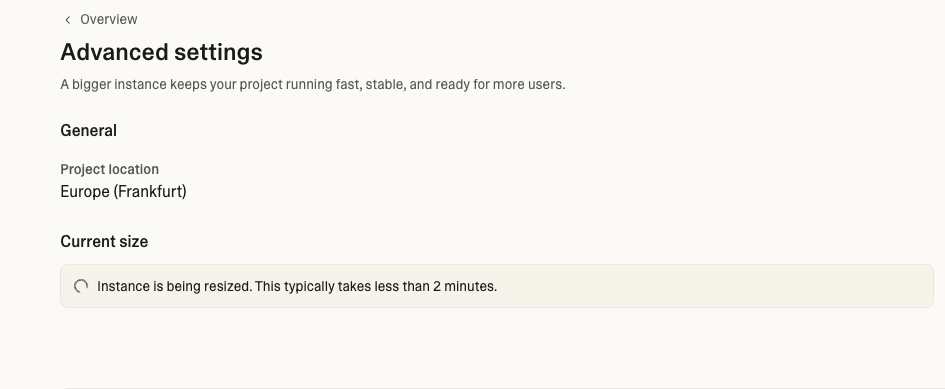
You'll see "Instance is being resized. This typically takes less than 2 minutes."
Step 6: Downgrade back (but not too fast)
Once the resize completes and your database is working again, you can downgrade back to your original tier so you don't stay on a more expensive plan. You'll see the "Downgrade instance" option now available.
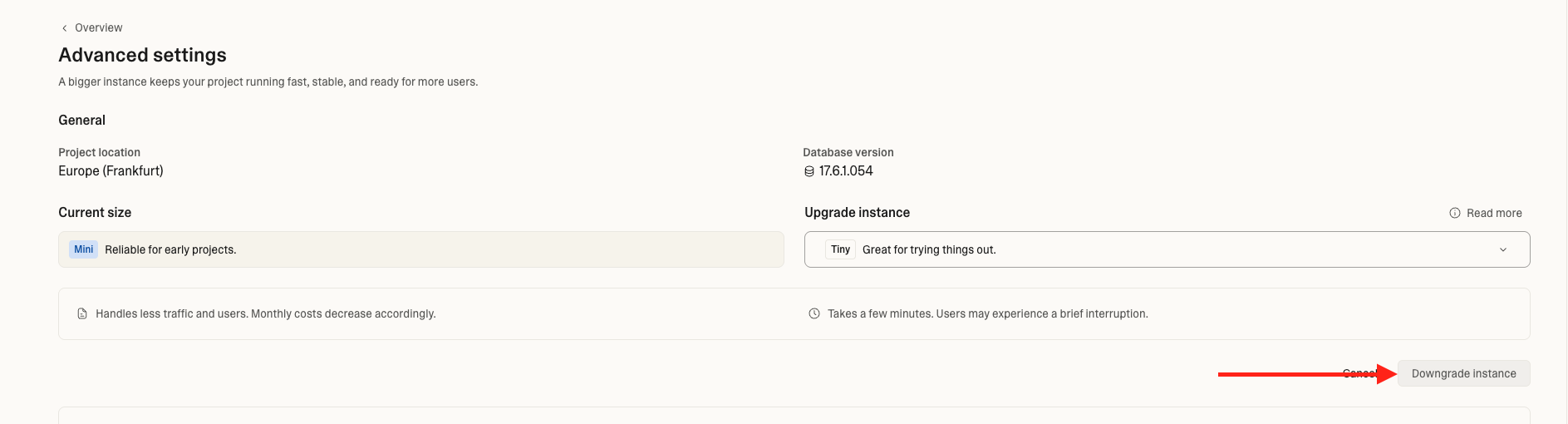
Important: Don't rush the downgrade. Give it some time before switching back. If the same error comes back after downgrading, stay on the larger tier - your app might actually need the extra resources. Resizing too quickly back and forth can cause issues.
Do not downgrade if the cause was load. In that eu-west-3 outage, support found sustained CPU at nine times what a Tiny instance can give. Every connection timed out because the box had no room left. Resizing to Small fixed it in minutes. Going back to Tiny would have reproduced it by morning. With real users, the bigger tier is the new baseline.
About costs
Upgrading your instance temporarily will use some of your Cloud balance ($25/month included on paid plans). Lovable doesn't publish exact prices per tier, but a quick upgrade and downgrade shouldn't have a big impact. Check your Cloud & AI balance after to see the cost. Your Cloud costs are broken down by category (database server, storage, compute, etc.) so you can see exactly what's using your budget.
When this works
- Database not responding or timing out
- "Error loading backups" in Advanced Settings
- Instance resize stuck for hours
- Connection pool exhausted
- Queries returning nothing after a deploy
When this doesn't work
If your app works and only the chat fails, the refresh was never going to help: see check 1 at the top, that one is fixed on Lovable's side.
If the instance refresh doesn't fix it, you're looking at an infrastructure issue that needs the Lovable team. Email support@lovable.dev with:
- Your project ID
- Screenshot of the error
- How long it's been down
How to prevent it
- Don't open database connections before filtering in webhooks or edge functions - filter first, then query
- If your app is growing, consider upgrading your instance tier permanently instead of staying on Tiny
- For production apps, Tiny is great for development but production traffic needs room to breathe
Useful links
- Lovable Cloud docs - instance management and scaling
- Cloud costs breakdown - understand your usage and billing
- Leaving Lovable Cloud: export, pause, remove - if you need full control, move to your own Supabase with the official export
Reader margin
What stayed with you?
Leave one small mark in the margin.
Notes from readers
The margin is open. You can leave the first note.
Stuck with something like this? I fix it daily → Services