How to Connect the Lovable and Supabase MCPs to Claude
If you want to use any of my migration skills, or just want to talk to your Lovable and Supabase projects from Claude, you need to connect the MCPs first.
The setup is different depending on whether you're using claude.ai chat (the web app) or Claude Code (the CLI). Here's how to do both.
claude.ai chat (web)
Everything happens in Settings. Here's the full flow.
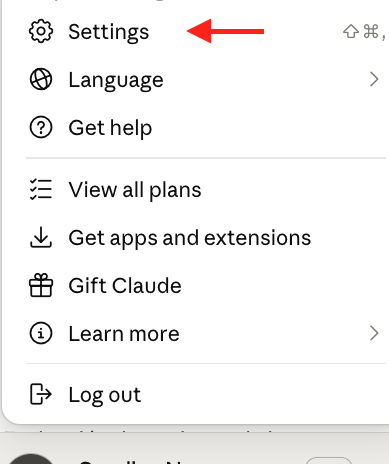
Step 1: Open Settings
Click your profile icon in the bottom left, then Settings.
Step 2: Go to Connectors
In the left sidebar, click Connectors.
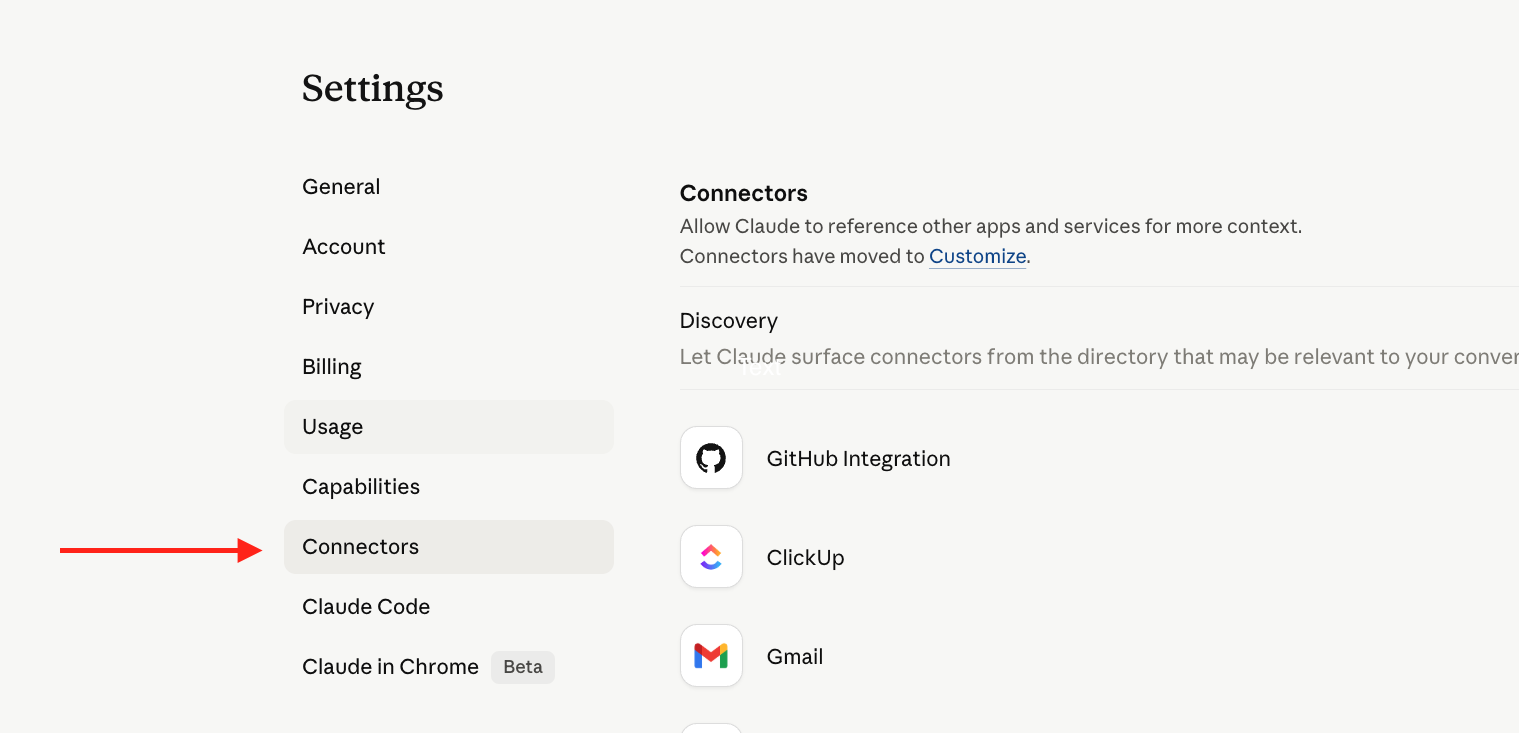
Supabase
Supabase is already in the connector directory. Find it in the list and click Configure, then follow the authorization flow. Done.
Lovable
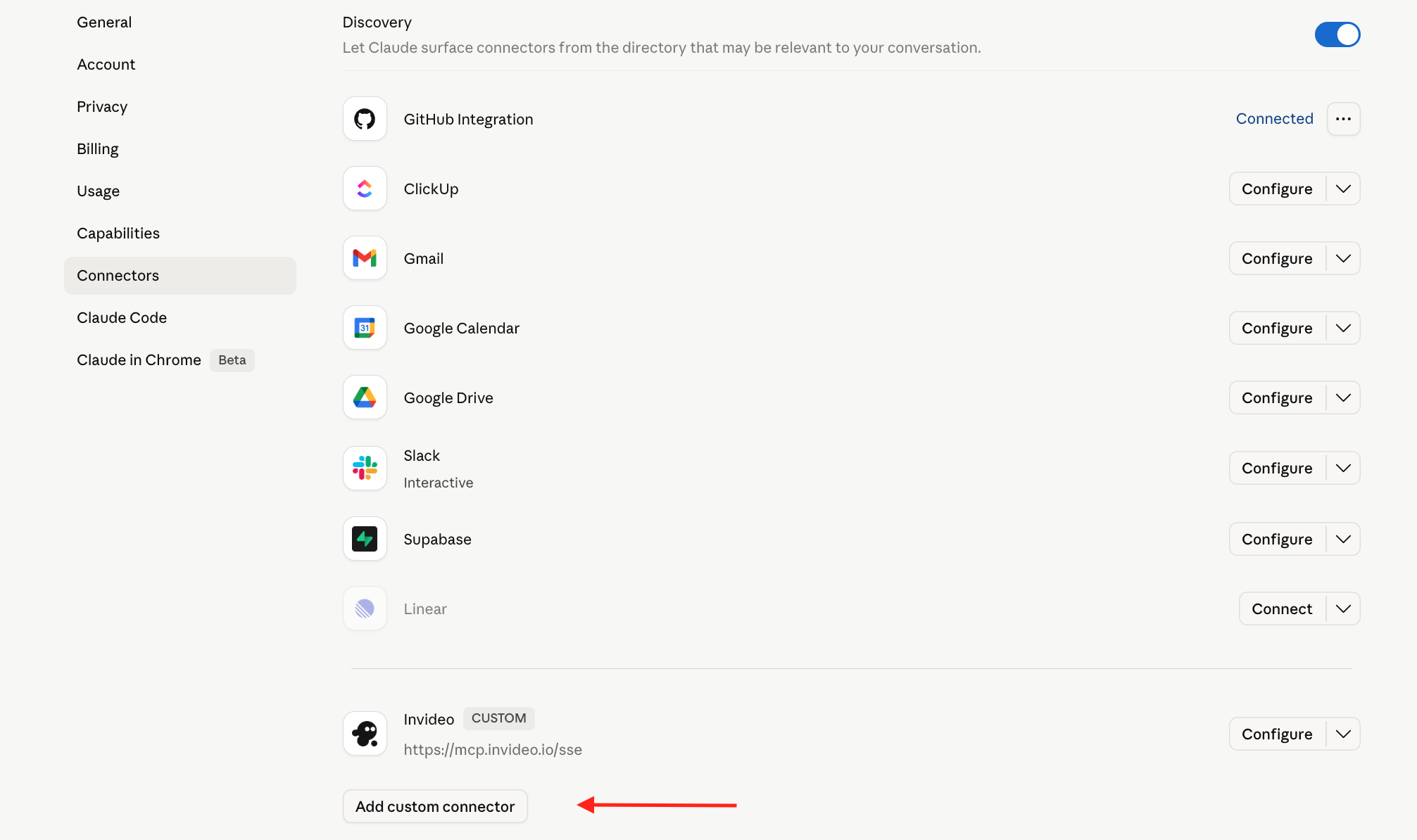
Lovable is not in the directory yet, so you add it as a custom connector.
Step 3: Add custom connector
Scroll to the bottom of the Connectors page and click Add custom connector.
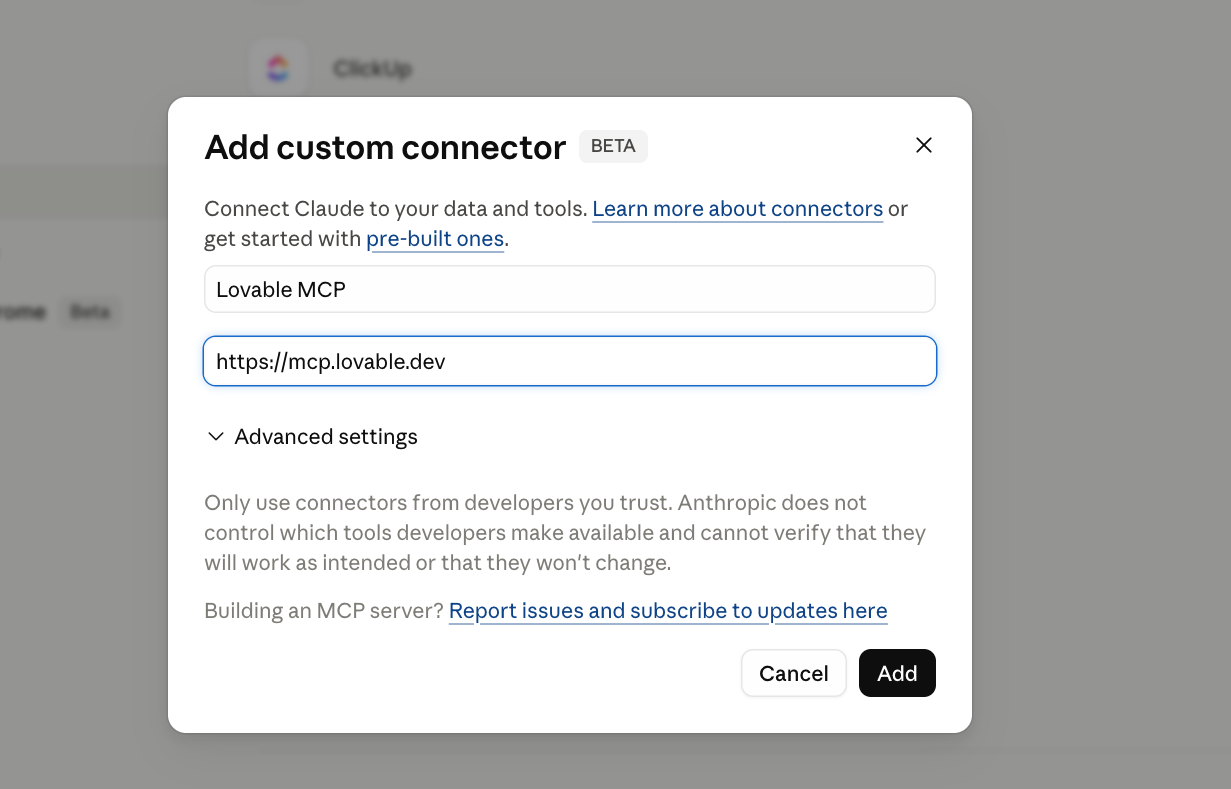
Step 4: Enter the name
In the dialog, type a name for the connector. I use "Lovable MCP".
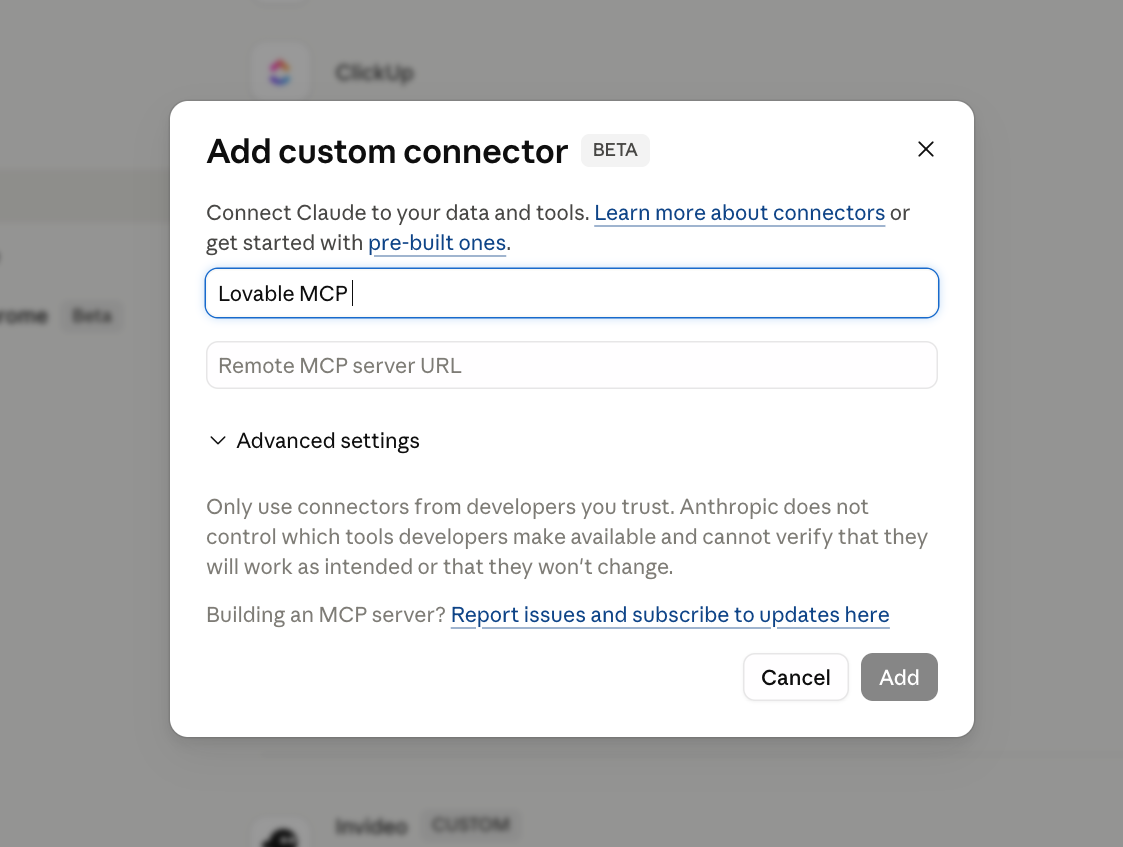
Step 5: Enter the URL
Enter https://mcp.lovable.dev as the Remote MCP server URL and click Add.
Step 6: Connect
The connector now appears at the bottom of the list. Click Connect to activate it.

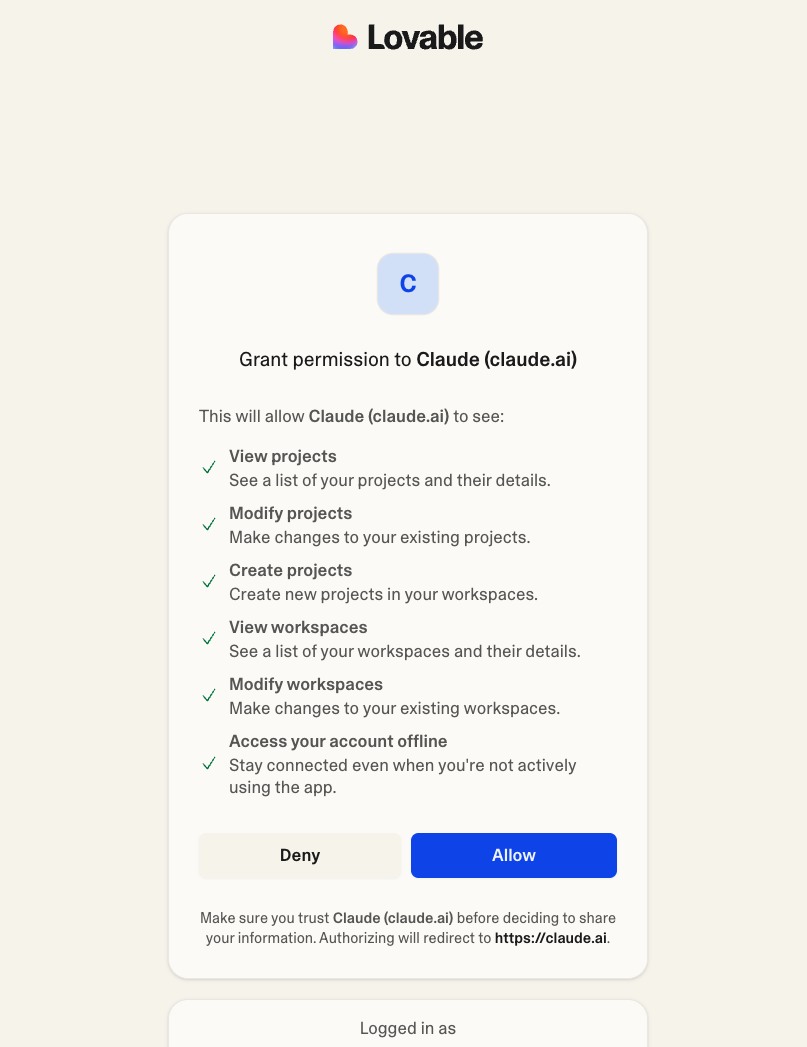
Step 7: Grant permission
Lovable will open an authorization page. Click Allow to grant Claude access to your projects.
Step 8: Done
Once authorized, the button changes to Configure. Lovable MCP is now connected.

That's it. You can verify by starting a new chat and saying "list my Lovable projects" or "show my Supabase organizations".
Claude Code (CLI)
In the CLI, MCPs are added with the claude mcp add command.
Supabase
Supabase MCP is auto-available as a plugin in Claude Code. You don't need to add it manually - it shows up when you run /mcp or when a skill needs it. If it's not connected, Claude Code will prompt you.
Lovable
Lovable needs to be added manually:
claude mcp add --transport http lovable "https://mcp.lovable.dev"
This adds it to your Claude Code configuration. You'll be prompted to authorize the first time it's used.
You can verify both are connected by running /mcp in Claude Code - it lists all active MCP servers.
Claude Code on the web
If you're using Claude Code on the web at claude.ai/code, the setup is the same as the CLI version. The terminal in the web VM runs the same claude mcp add command.
Which MCPs do you need?
| Task | Lovable MCP | Supabase MCP |
|---|---|---|
| Migrate from Lovable Cloud | Yes | Yes |
| Build in Lovable from Claude | Yes | No |
| Manage Supabase from Claude | No | Yes |
| Use migration skills | Yes | Yes |
Related
- Migrate from Lovable Cloud with AI (the current migration flow, claude.ai and Claude Code routes)
- Migrate from Lovable Cloud using claude.ai chat
- Full MCP migration guide
- Migration skill for Claude Code
- Migration skill for claude.ai chat
- Lovable MCP docs
- Supabase MCP docs
Reader margin
What stayed with you?
Leave one small mark in the margin.
Notes from readers
Stuck with something like this? I fix it daily → Services
Hi, your guide is quite outdated. 1. connectors no longer has the suggested substrate. 2. claude.ai/code only available on paid plans.
Supabase*
Lovable deployed the mcp and now we can integrate in Claude Code. I'm experiencing disconnection when the mcp goes in timeout for old call. Are you having the same issue? Somebody create an issue on github for the same problem https://github.com/anthropics/claude-ai-mcp/issues/394