How to Add CAPTCHA Bot Protection on Lovable Cloud (When the Native Setting Isn't There)
This came out of a case in the Lovable community: someone on Pro trying to add CAPTCHA to their app and running into a wall, because the native bot and abuse protection just isn't there on Cloud. So I decided to test whether it's actually possible.
Why the native CAPTCHA isn't reachable on Cloud
Supabase has built-in CAPTCHA support. Normally you turn it on in the dashboard under Authentication > Bot and Abuse Protection: pick a provider, paste your secret key, done.
On Lovable Cloud, you don't get to that screen. Cloud manages the Supabase project for you, so there's no dashboard access, and the AI agent's auth tools don't expose a CAPTCHA field either. So the native toggle genuinely isn't available to you. That part of the frustration is real.
The trap: a captcha widget alone is cosmetic
Here's the part that catches people. You can drop a CAPTCHA widget on your login page and it will render and pass. But on its own, on Cloud, it does nothing.
The widget produces a token. Without server-side enforcement, Supabase never checks that token, it just ignores it. So your signup looks protected, but a bot that skips the widget and calls your signup directly still gets in. Looks protected, isn't protected.
The workaround: verify the token yourself in an edge function
The fix is to stop relying on the native setting and do the check in your own code. Lovable Cloud won't let you touch the auth dashboard, but it does let you create edge functions and set edge function secrets. That's the door in.
The flow, in five steps:
Create a free Cloudflare Turnstile site. It gives you a Site Key (public, goes in your frontend) and a Secret Key (private).
Add the Turnstile widget to your auth page. It hands you a token when a human passes the challenge.
Create an edge function that takes the token, verifies it with Cloudflare's siteverify endpoint using your Secret Key, and only proceeds if the check passes.
Store the Secret Key as an edge function secret. This is the move that makes the whole thing work on Cloud.
Point your signup at that edge function instead of calling signUp directly. Valid token, account created. Invalid token, 403, no account.
The edge function
This is the core of it. The secret never touches the frontend, and the check runs on the server where a bot can't skip it.
// supabase/functions/verify-signup/index.ts
import { createClient } from "https://esm.sh/@supabase/supabase-js@2.45.0";

const admin = createClient(
  Deno.env.get("SUPABASE_URL")!,
  Deno.env.get("SUPABASE_SERVICE_ROLE_KEY")!,
  { auth: { persistSession: false, autoRefreshToken: false } },
);

Deno.serve(async (req) => {
  const { email, password, turnstileToken } = await req.json();

  // 1. Verify the captcha token with Cloudflare, server-side.
  const form = new URLSearchParams();
  form.set("secret", Deno.env.get("TURNSTILE_SECRET_KEY")!);
  form.set("response", turnstileToken);

  const verify = await fetch(
    "https://challenges.cloudflare.com/turnstile/v0/siteverify",
    { method: "POST", body: form },
  ).then((r) => r.json());

  if (!verify.success) {
    return new Response(JSON.stringify({ error: "Captcha failed" }), { status: 403 });
  }

  // 2. Captcha passed, create the user.
  const { data, error } = await admin.auth.admin.createUser({
    email,
    password,
    email_confirm: true,
  });
  if (error) {
    return new Response(JSON.stringify({ error: error.message }), { status: 400 });
  }

  return new Response(JSON.stringify({ ok: true, user_id: data.user?.id }), { status: 200 });
});
On the frontend, instead of calling supabase.auth.signUp, you call this function and pass the Turnstile token along with the email and password. (Add CORS headers to the function and deploy it as a public endpoint so the page can reach it.)
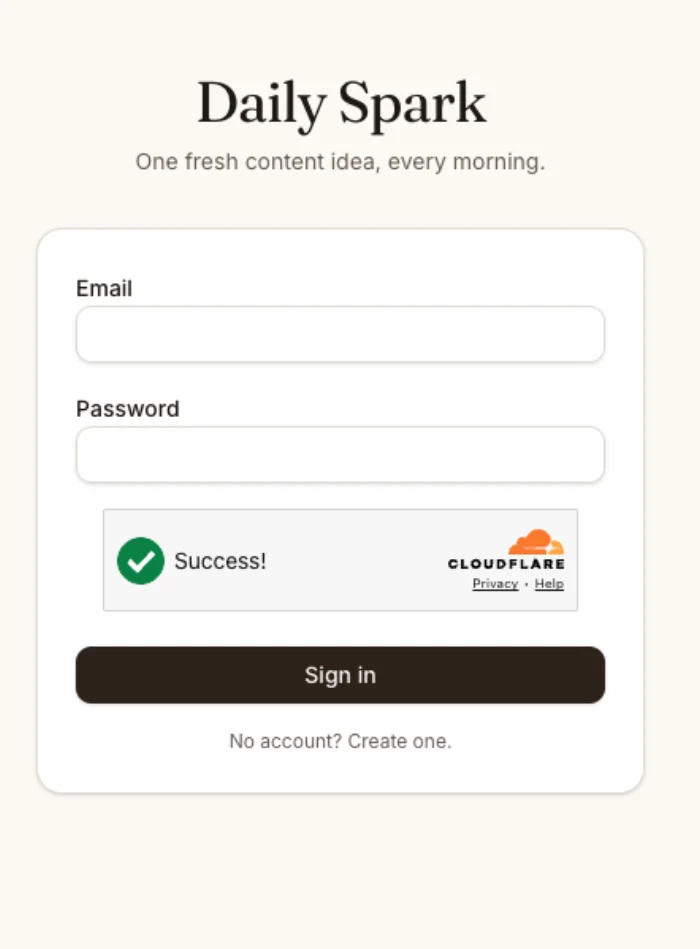
I built and tested exactly this on a Lovable Cloud app: real Turnstile, real secret, enforcement running server-side. With a valid token the account is created; with an invalid one the function returns 403 and no user row is ever written. Here's the live auth page passing the check:
Want it as a reusable skill?
I packaged this whole workaround as a Lovable skill, so you don't have to wire it from scratch every time. Grab it here:
github.com/CarolMonroe22/lovable-skills
Drop the SKILL.md into your workspace (Settings > Skills > upload, or paste it into the chat and ask Lovable to save it as a skill), and the agent will apply it whenever you ask for bot protection. It's the same SKILL.md shape Claude uses, so it works there too.
The takeaway
A managed backend trades control for convenience, and sometimes that convenience hides a gap. When the platform won't hand you the setting you need, look at the surface it does give you. On Cloud, that's edge functions plus secrets, and that was enough to rebuild the protection by hand.
And this goes well beyond captcha. Any time Cloud won't expose a setting but you need to verify a token or use a secret on the server, a webhook signature, a third-party API key, a custom rate limit, the same move works: do it in an edge function with a secret you set yourself.
If you're on Lovable Cloud and fighting bot signups, you're not stuck on a plan upgrade. You just have to wire the gate yourself.
Reader margin
What stayed with you?
Leave one small mark in the margin.
Notes from readers
The margin is open. You can leave the first note.
Stuck with something like this? I fix it daily → Services